
bproxy
Why this exists
Section titled “Why this exists”Most of my work is information research, analysis, and synthesis. Agents are good at the routine part — collecting data, transforming it, distilling patterns — but they need browser access to do it. Many services detect automation and use their terms of service to restrict it.
I think “automation” is overloaded. At the extreme, I am already sitting at a laptop, using an operating system and a browser to access a service — is that not automation too? I am not trying to scrape service content at scale. I want to automate the copy-paste and routine navigation that are a natural part of desktop research.
I have two options:
-
Connect Playwright to my browser, or use an alternative that bypasses detection today. The agent gets full access, it works on most sites, but it has no guardrails and its control protocol is fragile — what passes today may not pass tomorrow. And I can’t easily partition my browser across several agents working in parallel.
-
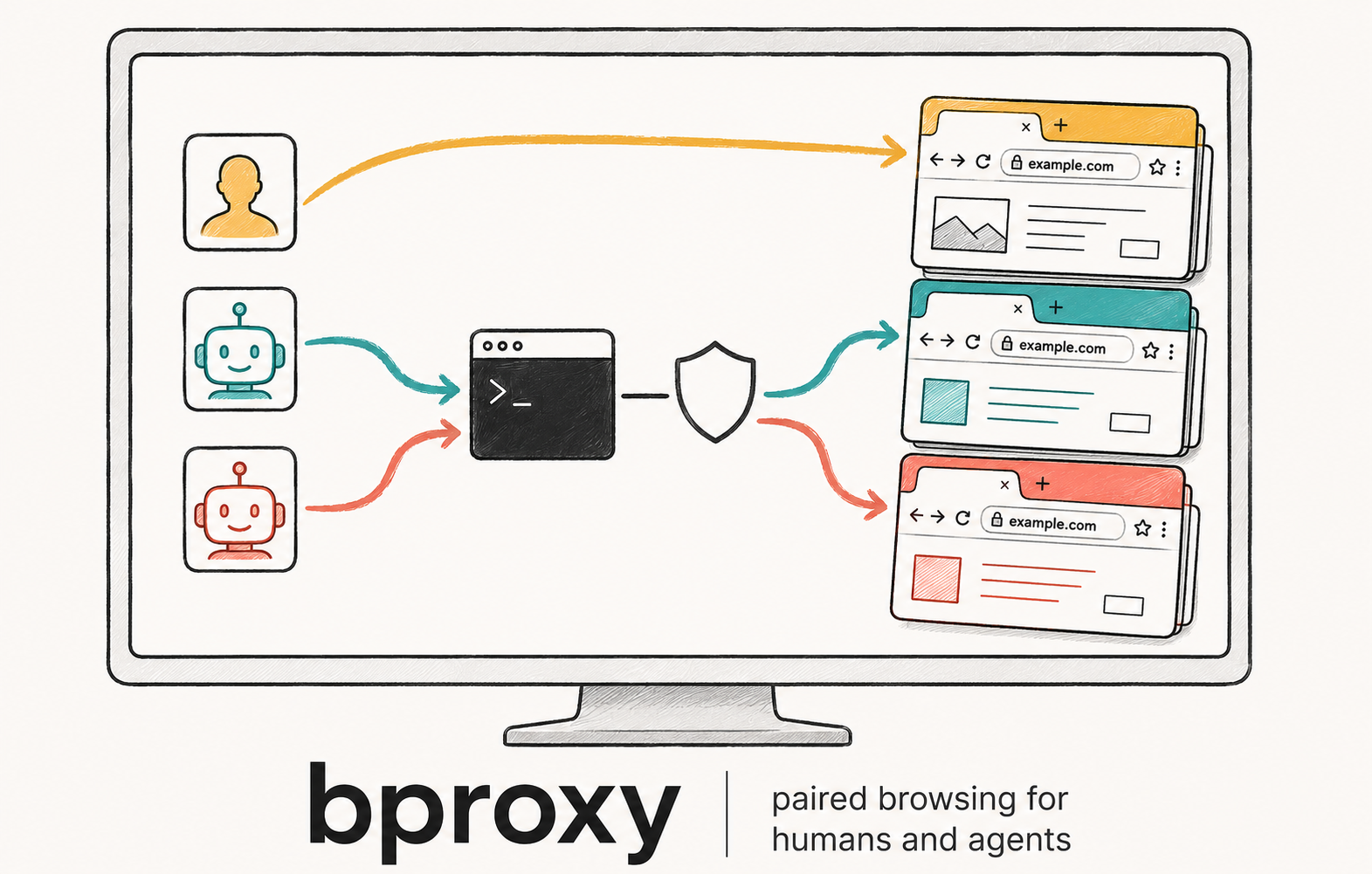
Put a proxy between the agent and my browser. A Chrome extension executes commands inside my real session. A daemon paces and scopes what the agent can do. A CLI gives the agent a clean, narrow interface. No automation protocol touches the page.
I chose option 2 because of how I actually work: I provide the direction, the agent handles the mechanical collection. I’m in the loop — I don’t need the agent to have unrestricted browser access. I need it to read pages, fill forms, and scroll through results on my behalf, in my browser, without tripping the services I’m already logged into.
bproxy is that proxy. It’s not the only way to give an agent a browser — but for human-in-the-loop research workflows against real services, an extension with a constrained command set is a better fit than handing over a raw automation handle.
You ←→ Agent ──CLI──▶ Daemon ◀──WebSocket──▶ Extension (your browser)What agents do with it
Section titled “What agents do with it”You stay in front of the browser. The agent handles data reads, copy-paste relief, and bounded batch work. Login, CAPTCHA, and consent screens stay yours.
Three scenarios drive the design:
Topic research. The agent navigates search engines by URL, reads rendered page text, paginates by rewriting query parameters, and compiles a structured shortlist. Most of the flow is still URL-driven navigation plus text extraction, but bproxy can now expose explicit click and hover primitives when a page genuinely requires them. The services see a real browser with a real account loading pages at a reasonable pace.
Feed snapshot. The agent scrolls a social feed to load lazy content, reads each post’s text, and assembles a digest. Scroll pacing is daemon-enforced with jittered intervals so the behaviour resembles your normal browsing rather than a metronomic crawler.
Form fill. The agent fills application forms using data you provide in conversation. It prepares fields but does not submit — you review and click submit yourself, so any CAPTCHA challenge fires on a genuine user interaction. Write operations use an explicit method chosen per field: direct DOM assignment for simple inputs, paste-event simulation for framework-controlled fields, or one-shot page API calls for rich editors.
Design principles
Section titled “Design principles”A few principles keep bproxy from drifting toward a general-purpose automation framework.
Read mode is the default. The extension reads pages via isolated-world DOM access and navigates by URL. In this mode it has no presence in the page’s JavaScript world — no wrapped globals, no mutation observers, no persistent scripts. The page cannot distinguish the extension from normal browsing.
The agent has a narrow, explicit interface. It can read, scroll, fill, select, click, hover, and navigate — but not execute arbitrary code by default. Three write methods (direct DOM, paste simulation, runtime API) are chosen per field; there is no auto-selection. The extension never decides strategy; the agent owns its choices and they’re auditable from outside.
Pacing is enforced, not requested. The daemon applies human-realistic timing to navigations, scrolls, and fills. The agent cannot burst requests regardless of how it’s prompted. Multiple agents can work in parallel on separate sessions without interfering.
You stay in the loop. CAPTCHAs, logins, and consent screens are surfaced to you via a dedicated signal. Form submissions are left for you to trigger. The system prepares; you commit.
Observability is structural. Every request carries a unique identifier that correlates CLI invocation, daemon routing, and extension execution. You can see exactly what any agent did, when, and on which tab.
Reading further
Section titled “Reading further”The Containers view is the canonical diagram — it shows the three runtime processes and the protocols between them. The remaining views drill into deployment, session behaviour, and security. The solution specs document each component’s implementation contract.
The source repository contains the project’s full decision history and design rationale for contributors who want the audit trail.
Alternatives
Section titled “Alternatives”If you need full autonomous browser control rather than human-in-the-loop collaboration, these tools address bot detection directly:
- nodriver — drives system Chrome over raw CDP without Playwright’s startup fingerprint. Zero blocked targets in the 2026 benchmark. Python, async, AGPL-3.0.
- Patchright — Playwright fork that patches CDP-leak signals and supports
channel=chromefor real Chrome TLS. Drop-in Playwright API. Apache-2.0. - Camoufox — Firefox fork with C-level fingerprint spoofing. Different TLS shape than Chromium, which helps on some targets and hurts on others. MPL-2.0.
- CloakBrowser — patched Chromium fork with 49 source-level modifications. Playwright-compatible API. MIT.
- curl_cffi — HTTP-only (no JS engine) with Chrome-shaped TLS. Ties CloakBrowser on 26/31 targets in a 21-line wrapper. MIT.
For a detailed comparison, see Ian Paterson’s anti-detect browser benchmark (2026) — 7 tools, 31 targets, 651 verdicts.